01
Upload
Add your video clips.
AI Video Editor · Available on Android
Not frame by frame. Zera Studio is an Android app that uses AI to understand your footage and turn your clips into an edited video.
The product is live
This is the actual Zera Studio workflow, taken from the app's public Google Play listing. Every step below happens inside the Android app.
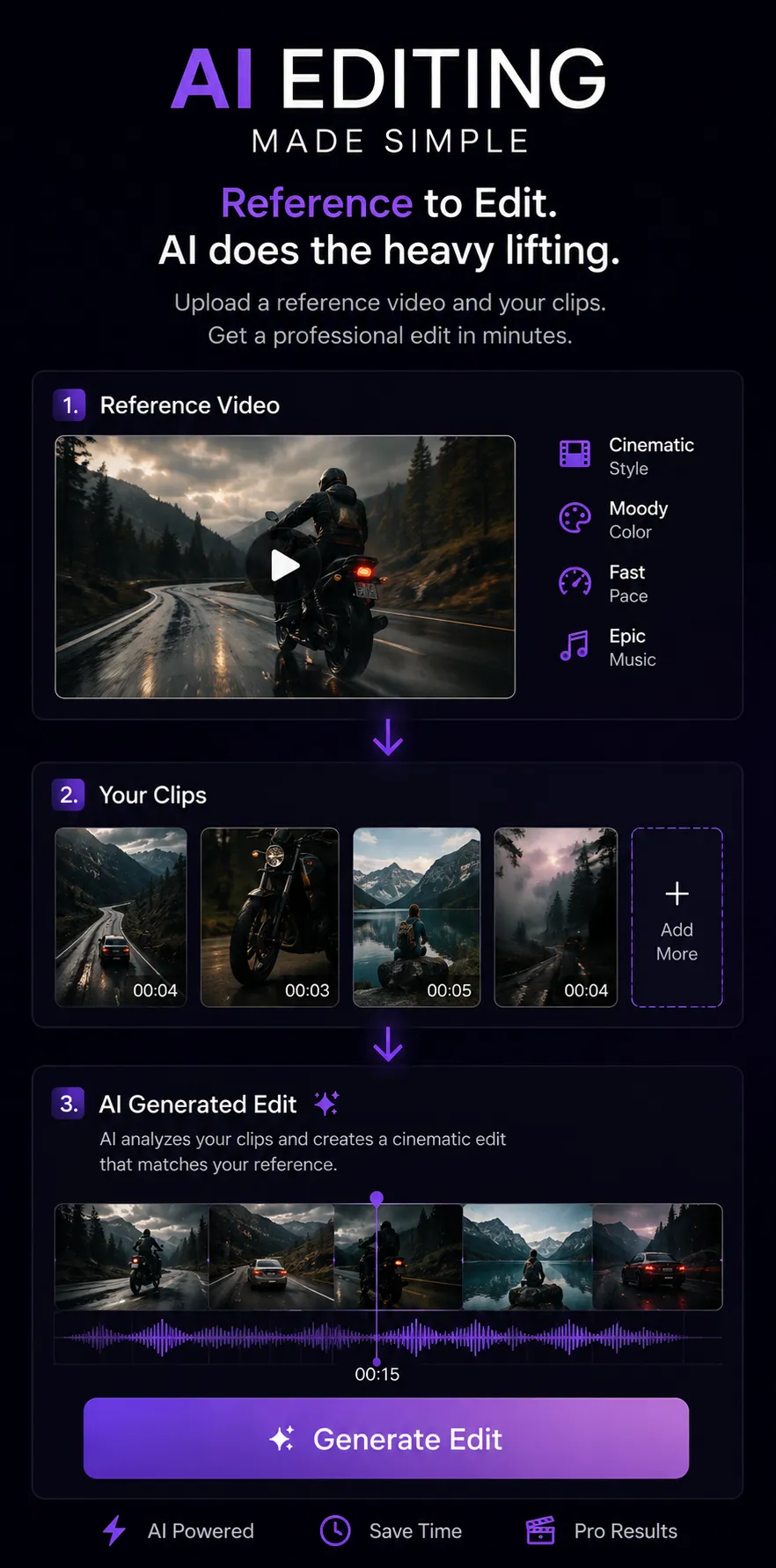
You add a reference video that sets the style you are aiming for.
You add your own raw clips to the project.
Zera Studio analyzes the reference and your footage.
The app generates an edit built from your clips.
You preview the result and export the finished video.
This website is the public company and product site for ZERA AI. It is not a browser-based video editor — Zera Studio's AI editing runs in the Android app.
How it works
A simple workflow built around the actual product: upload, analyze, generate, export.
Add your video clips.
Zera analyzes your footage and audio.
AI creates the edit.
Get the generated video.
Editing process
An illustration of the stages the Android app moves through: footage is analyzed, cut decisions land on the timeline, and the generated result becomes ready to export. This animation is a diagram, not a live editor.
Real product
Screenshots published on the Zera Studio Google Play listing. You can compare them directly against the live listing.
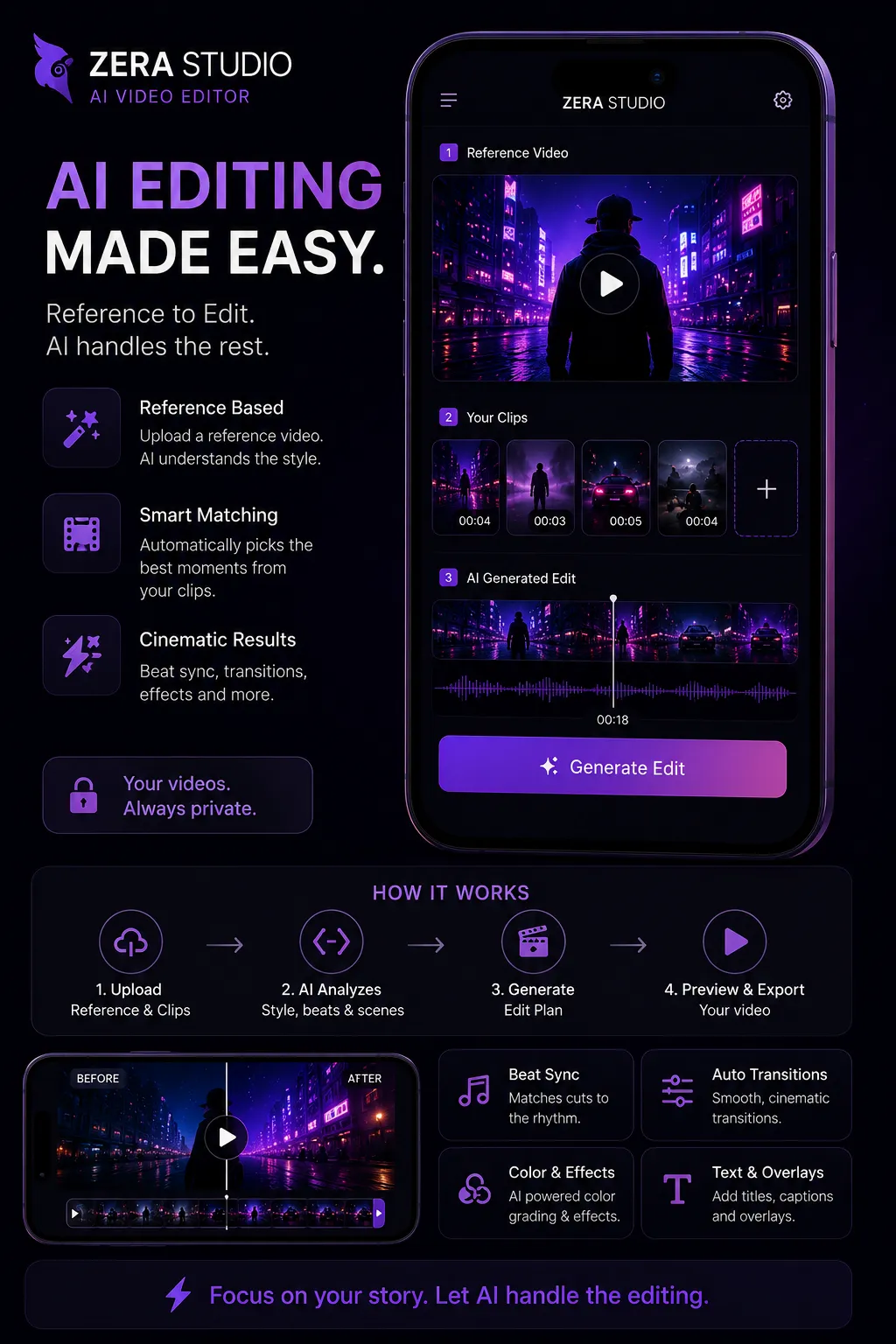
The app screen showing a reference video, the creator's clips, and the AI-generated edit, plus the four-stage upload, analyze, generate and export flow.
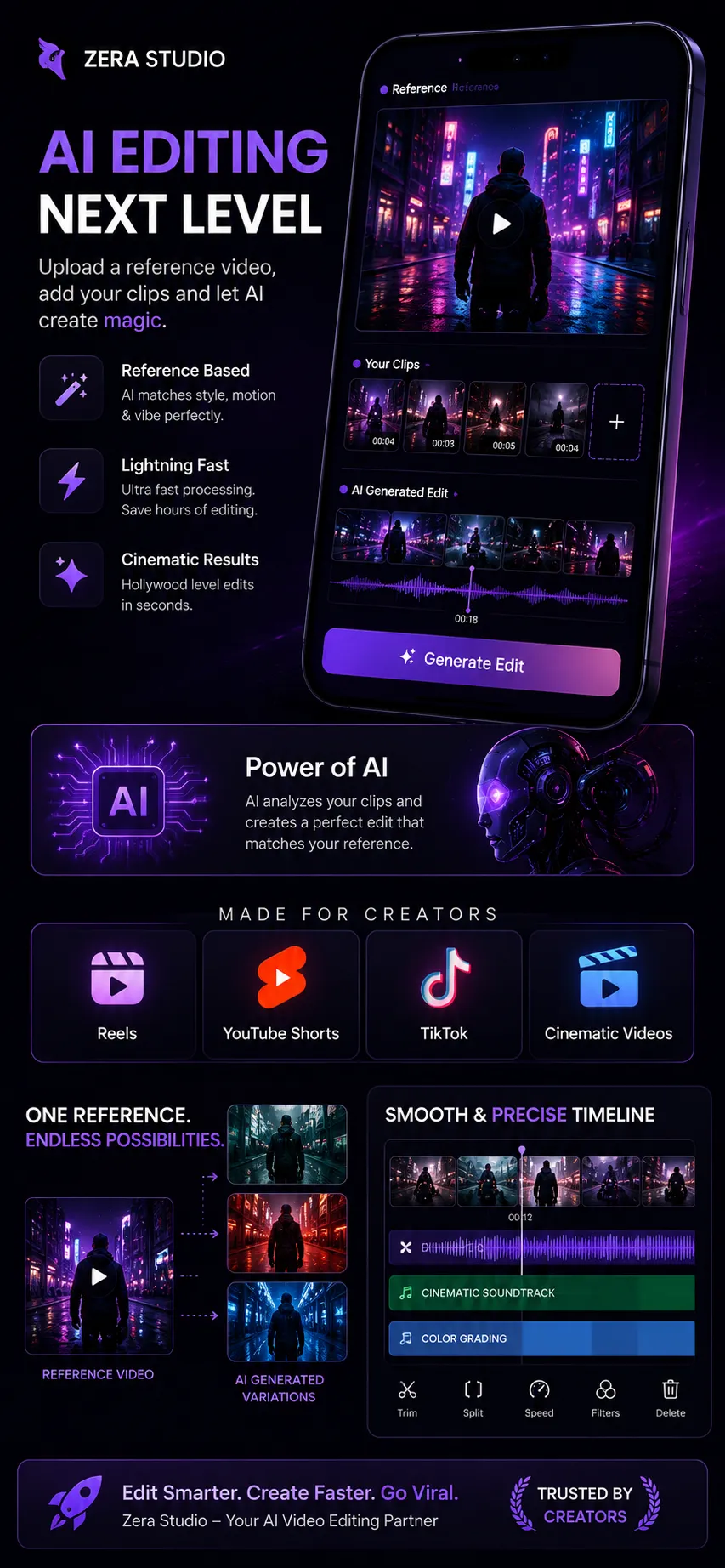
The in-app timeline with clip thumbnails, an audio track, color grading, and trim, split, speed, filter and delete controls.
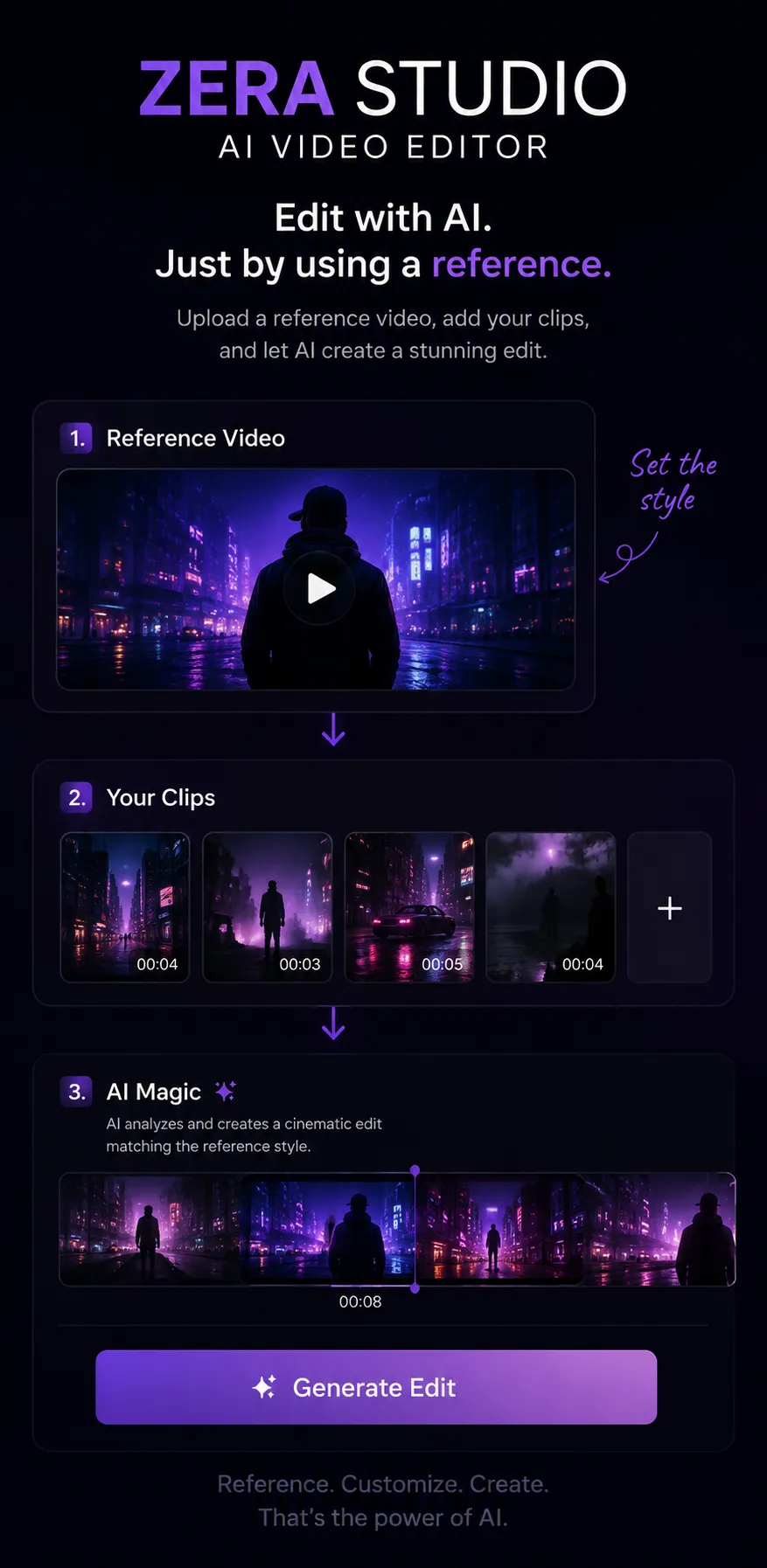
The three numbered stages inside the app: add a reference video to set the style, add your clips, then generate the edit.
Zera Studio is available on Android through Google Play.
What Zera Studio does
Zera Studio takes a reference video and your own clips, analyzes style, beats and scenes, then generates an edit you can preview and export. These are the capabilities available in the app today.
Add a reference video and the app works from the style it sets.
Picks moments from your clips to build the edit.
Matches cuts to the rhythm of the track.
Applies transitions between the selected clips.
AI-assisted color grading and effects.
Add titles, captions, and overlays.
Editing work is processed in the cloud.
Export the finished video from the app.
Capabilities as described on the Zera Studio Google Play listing. New features and editing improvements are added regularly.
Pricing & availability
Zera Studio is currently free to use on Android. There are no subscription tiers at this time.
Current price
Free
No charge to download or use the app today.
Status
Live
The app is publicly available and actively improved.
Availability
Android
Distributed through Google Play as an Android application.
Pricing may change as the product develops. Any change would be published here and on the app listing before it applies.
About
Zera AI builds AI-powered software for creative workflows. Zera Studio is Zera AI's AI-powered video editing product, available now on Android.
Founder
Founder & CEO
Zera AI is founded and currently led by Yuvansh Batra. Self-taught builder focused on AI and software products. Built Zera AI and Zera Studio, and previously built Campus Connect to solve real problems through software.
Company
Zera AI builds AI-powered software for creative workflows. Zera Studio is the company's product, published on Google Play and available now on Android.
FAQ
Zera Studio is an AI-powered video editing app for Android. You add a reference video and your own clips, and the app generates an edited video you can preview and export.
Zera Studio is built by Zera AI, a company that builds AI-powered software for creative workflows. Zera AI was founded by Yuvansh Batra, Founder & CEO.
Yes. Zera Studio is publicly available on Google Play as an Android app. It is usable today, and new features and editing improvements are added regularly.
Zera Studio is currently free to use on Android. There are no subscription tiers at this time.
No. This website is the public company and product site for Zera AI. The AI video editing itself runs inside the Zera Studio Android app.
Zera Studio is currently available on Android, distributed through Google Play.
Use the feedback form in the Contact section, which goes to feedback@zera-ai.com. For support and bug reports email support@zera-ai.com, and for general or business enquiries email contact@zera-ai.com.
You can delete your account inside the app, or send a request by email. Full instructions are on the Account Deletion page, and data handling is described in the Privacy Policy.
Contact
Zera Studio is actively developed, so feedback genuinely shapes what gets built next. Send it below, or email us directly.
Feedback
Tell us what worked, what did not, or what you would change. Adding your email lets us reply.
Support
Questions about the app, bug reports, and account or data requests.
General contact
Business, partnership, press, and any other enquiries about Zera AI.
Founder
Reach Yuvansh Batra (Founder & CEO) directly.
Company
ZERA AI
Account & data requests
Account deletion instructions